Network Switch vs Hub: Key Differences, Performance Comparison & Industrial Applications
Aug 04, 2026
B2B Engineering & Hardware Selection Guide
Network Switch vs. Hub: The Complete 2026 Buyer’s & Engineer’s Guide
An engineering comparison of Ethernet hubs and switches, covering packet forwarding mechanisms, collision domain behavior, bandwidth efficiency, and the role of industrial PoE switches in modern network infrastructure.
Executive Summary
Ethernet hubs operate exclusively at OSI Layer 1 as physical-layer repeaters, creating a single shared collision domain with limited half-duplex communication efficiency. In contrast, Ethernet switches operate at Layer 2 or Layer 3, using MAC address tables (CAM tables) to enable intelligent unicast forwarding, dedicated port bandwidth, and full-duplex communication through a non-blocking switching architecture. For modern industrial applications such as CCTV surveillance, traffic management, and IoT deployments, rugged industrial PoE switches have become the preferred networking solution. Supporting IEEE 802.3bt PoE++ power delivery up to 90W, wide operating temperatures from -40°C to +75°C, and enhanced surge protection up to 6kV, these switches provide reliable data transmission and power delivery for edge devices in demanding environments.
Technical comparison showing how Ethernet hubs broadcast signals across a shared collision domain while Ethernet switches use MAC-based forwarding to provide dedicated bandwidth and efficient network communication.
An Ethernet switch is a Layer 2 or Layer 3 networking device that analyzes Ethernet frame headers and forwards unicast traffic using MAC address tables, while an Ethernet hub is a Layer 1 physical-layer repeater that simply replicates incoming signals to all connected ports without traffic filtering. The key engineering differences between these two technologies include collision domain isolation, duplex communication capability, switching capacity, and Power over Ethernet (PoE) support.
In modern network deployments, hubs create significant performance limitations due to shared bandwidth and collision-based communication. High-bandwidth edge devices—including H.265/4K IP cameras, Edge AI systems, and real-time industrial controllers—require dedicated full-duplex switching architectures to achieve stable throughput, predictable latency, and reliable data transmission.
1. Core Definitions: What is a Network Hub vs. a Network Switch?
The fundamental difference between a network hub and a switch lies in how each device processes Ethernet traffic. Hubs operate at Layer 1 by repeating electrical signals, while switches operate at Layer 2 or Layer 3 by intelligently forwarding data based on MAC addresses.
What is a Network Hub?Layer 1 Physical
A network hub is an unmanaged Layer 1 multiport repeater that regenerates incoming electrical signals and replicates them across all connected ports simultaneously. Unlike switches, hubs do not process Media Access Control (MAC) addresses, IP headers, or Ethernet frame information.
Core Mechanism: Hubs operate within a single shared collision domain using half-duplex communication. When multiple devices transmit simultaneously, signal collisions occur and trigger CSMA/CD retransmission processes, increasing latency, reducing throughput, and creating unpredictable network performance.
What is a Network Switch?Layer 2/3 Data Link & Network
A network switch is a Layer 2 or Layer 3 networking device that learns endpoint MAC addresses and maps them to physical ports using an internal MAC address table (CAM table). By analyzing Ethernet frame destination information, switches perform hardware-based unicast forwarding.
Core Mechanism: Switches create dedicated collision domains for each port and support full-duplex communication. Devices can transmit and receive data simultaneously over dedicated Ethernet links without collision interference. This intelligent forwarding architecture enables advanced networking capabilities, including VLAN segmentation, traffic management, and Power over Ethernet (PoE) delivery for modern IP-based systems.
2. Network Switch vs. Hub: Comprehensive Comparison Matrix
The following technical matrix outlines functional, electrical, and environmental metrics distinguishing hubs, commercial switches, and industrial PoE hardware.
← Scroll horizontally to view full matrix →
Feature / Metric
Network Hub
Commercial Enterprise Switch
Industrial PoE Switch
OSI Operating Layer
Layer 1 (Physical)
Layer 2 / Layer 3
Layer 2 / Layer 3 (Hardware Line-Rate)
Data Transmission
Broadcast (One-to-All)
Unicast / Multicast Targeted
Unicast / Multicast (IGMP Snooping)
Bandwidth Allocation
Shared across all ports
Dedicated per port
Dedicated Non-Blocking Backplane
Duplex & Collisions
Half-Duplex (High Collisions)
Full-Duplex (Collision-Free)
Full-Duplex (Zero Packet Loss Fabric)
Power Delivery (PoE)
× None Supported
Δ Basic (15.4W / 30W IEEE 802.3af/at)
✓ High Power (30W / 60W / 90W IEEE 802.3bt)
Operating Temperature
0°C to 40°C
0°C to 45°C (Commercial Office)
✓ -40°C to +75°C (Wide Temp Hardened)
Housing & Protection
Plastic Housing
Desktop / Sheet Metal Rackmount
✓ IP40 Aluminum, DIN-Rail / Wall Mount
Surge Immunity
None
1kV - 2kV Basic Surge
✓ 6kV Surge Protection (IEC 61000-4-5)
Primary Applications
Obsolete / Legacy Diagnostic Labs
Enterprise Offices, SOHO Networks
Industrial CCTV, Smart Cities, Traffic, Solar IoT
3. Key Differences Explained: Why Hubs Fail in Modern Systems
Deploying Layer 1 repeating hubs in modern network environments creates significant limitations in traffic performance, network security, and power delivery capabilities.
Data Collisions & Video Performance Issues
Continuous high-bandwidth traffic, including H.265/4K IP surveillance streams, quickly consumes the shared bandwidth of a hub’s collision domain. Multiple simultaneous transmissions create collisions, resulting in retransmissions, reduced throughput, video freezing, and unpredictable latency. Ethernet switches overcome these limitations by providing dedicated bandwidth and full-duplex communication for each connected device.
Network Security & Traffic Isolation
Because hubs replicate incoming signals across all ports without traffic filtering, any connected device can potentially observe network traffic from other endpoints. Managed switches improve network security through 802.1Q VLAN segmentation, port security features, and MAC address binding, enabling controlled traffic isolation between devices and network segments.
Lack of Power Delivery (PoE)
Network hubs cannot provide Power over Ethernet because they lack Power Sourcing Equipment (PSE) functionality. Modern outdoor IP cameras, PTZ surveillance systems, wireless access points, and IoT edge devices increasingly rely on industrial PoE switches supporting IEEE 802.3bt PoE++ technology with up to 90W power delivery over Cat6 Ethernet infrastructure.
4. Why Industrial Environments Demand Ruggedized PoE Switches
Outdoor security cabinets, traffic intersections, and remote solar stations expose network equipment to environmental conditions that can accelerate hardware degradation and cause premature failures in standard commercial switches.
Harsh Thermal Resilience (-40°C to +75°C)
Industrial switches typically use fanless aluminum alloy enclosures with passive heat dissipation, eliminating the reliability issues associated with mechanical fans in dusty environments. Wide-temperature components are designed to maintain stable operation across extended temperature ranges from -40°C to +75°C.
Redundant Power Inputs & Heavy-Duty Surge Immunity
Dual DC power inputs support redundant power architectures for improved network availability in remote and off-grid deployments. Integrated surge protection circuits provide up to 6kV surge immunity tested according to IEC 61000-4-5, helping protect equipment from lightning-induced surges and electrical disturbances.
Flexible Form Factors: DIN-Rail Integration
Rugged DIN-rail mounting mechanics (EN 50022) allow compact installation inside space-restricted NEMA control enclosures, streamlining physical integration alongside DIN-rail power supplies and terminal blocks.
5. Buying & Selection Guide: How to Choose the Right Switch for Your Project
Engineering and procurement teams should evaluate four critical specifications when selecting Ethernet network hardware.
Step 1
Port Density & Fiber Uplink Requirements
Calculate the required number of access ports for connected edge devices and consider high-bandwidth uplinks using 1G/10G SFP or SFP+ slots with pluggable optical transceivers for long-distance backbone connections.
Step 2
PoE Power Budget Calculation
Calculate the total power requirements of connected powered devices (PDs), including cable losses and additional power margin. Match system requirements against IEEE 802.3af (15.4W), IEEE 802.3at (30W), or IEEE 802.3bt PoE++ (up to 90W) standards.
Step 3
Management Features & Network Redundancy
Use unmanaged switches for simple plug-and-play deployments. For mission-critical industrial networks, managed switches with redundancy protocols such as ERPS (G.8032) can provide rapid ring recovery and improved network availability.
Step 4
OEM/ODM Customization Requirements
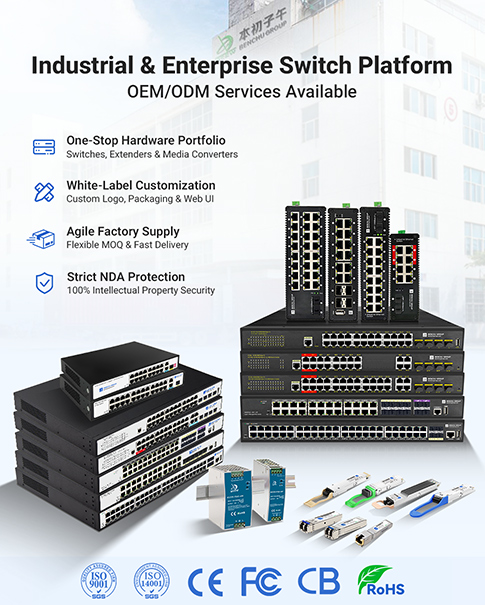
For brands, distributors, and system integrators requiring customized networking solutions, experienced OEM/ODM manufacturers can provide PCB modifications, custom firmware development, private labeling, wide-voltage solar inputs, and certified production testing.
6. Frequently Asked Questions (FAQ)
Q: Are network hubs still used in modern Ethernet deployments?
No. Network hubs are largely obsolete in modern Ethernet deployments. Their half-duplex operation, shared collision domains, and lack of PoE support have caused them to be replaced by Layer 2/3 Ethernet switches in most commercial and industrial networks.
Q: Can I use a hub instead of a PoE switch for IP security cameras?
No. Network hubs cannot provide Power over Ethernet (PoE) power to IP cameras or other powered devices. In addition, high-bandwidth HD/4K camera streams can overwhelm a hub’s shared bandwidth, resulting in packet loss, latency, and unstable video performance.
Q: What is the primary operational advantage of a switch over a hub?
A switch uses an internal MAC address table (CAM table) to forward unicast frames to the intended destination port. This provides dedicated full-duplex bandwidth per port and eliminates Ethernet collisions on switched connections.
Q: What is the difference between a commercial switch and an industrial switch?
Industrial switches are designed for harsh environments with features such as fanless wide-temperature operation (-40°C to +75°C), rugged metal enclosures, DIN-rail mounting, redundant DC power options, and surge protection. Commercial switches are primarily designed for controlled indoor environments.
Empower Your Hardware Portfolio with Factory-Direct OEM/ODM Solutions
Looking for reliable, cost-effective industrial PoE switches tailored to your specific project or brand requirements? As a specialized Ethernet hardware manufacturing facility in Shenzhen, we deliver end-to-end OEM/ODM engineering services—including custom port topologies, wide-voltage solar inputs, private label branding, and ISO9001 certified quality control with 100% burn-in testing.
Request OEM/ODM Catalog & Factory Direct Quote →
{
"@context": "https://schema.org",
"@type": "FAQPage",
"mainEntity": [
{
"@type": "Question",
"name": "Are network hubs still used in modern Ethernet deployments?",
"acceptedAnswer": {
"@type": "Answer",
"text": "No. Network hubs are obsolete in modern networks. Their half-duplex limits, shared collision domains, and inability to support Power over Ethernet (PoE) have led to complete replacement by Layer 2/3 network switches."
}
},
{
"@type": "Question",
"name": "Can I use a hub instead of a PoE switch for IP security cameras?",
"acceptedAnswer": {
"@type": "Answer",
"text": "No. Network hubs cannot supply Power over Ethernet (PoE) to powered devices. Additionally, high-bitrate HD/4K IP camera traffic overloads a hub's shared bandwidth, causing total network dropouts."
}
},
{
"@type": "Question",
"name": "What is the primary operational advantage of a switch over a hub?",
"acceptedAnswer": {
"@type": "Answer",
"text": "A switch utilizes an internal CAM table to forward frames exclusively to the targeted destination port. This provides dedicated full-duplex bandwidth per port and completely eliminates physical packet collisions."
}
},
{
"@type": "Question",
"name": "What is the difference between a commercial switch and an industrial switch?",
"acceptedAnswer": {
"@type": "Answer",
"text": "Industrial switches feature fanless wide-temperature components (-40°C to +75°C), IP40 metal enclosures, DIN-rail mounting, dual DC power inputs, and 6kV surge immunity, whereas commercial switches are built solely for climate-controlled office spaces."
}
}
]
}
إقرأ المزيد

 راسلنا عبر البريد الإلكتروني
 اتصل بنا
 عنوان
عنوان



 شبكة IPv6 المدعومة
 بالعربية